THE PLAYBOOK · ZZBSDZ
Play Kakuro with the rules at hand
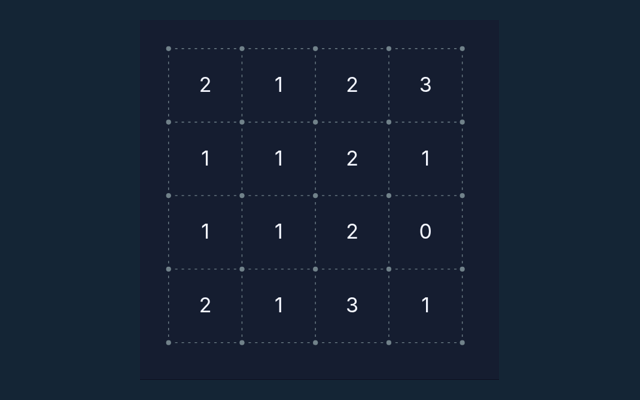
Start Kakuro by looking at the playing area and its controls. Complete a 4×4 sum grid with digits 1–9, no repeats in any row or column, and the displayed totals. Use the example below to understand a decision. Identify the playing area and the controls you need. Keep the game area visible while you use its controls.
Practise sums on twelve small, unblocked 4×4 grids. These teaching boards use whole-row and whole-column totals rather than the blocked runs of classic Kakuro.
A focus for your next round
Read one step at a time and try it on the playing area. Match the instruction to the control you use. Make the next step deliberately.
What you need to achieve
Complete a 4×4 sum grid with digits 1–9, no repeats in any row or column, and the displayed totals. The feedback beside the game helps you follow the round. Start with a deliberate move.
The playing sequence
- Compare a row total with its fixed entries.
- Use the column total for the same blank.
- Enter digits 1–9.
- Check puzzle verifies totals and non-repetition.
Choosing and moving on screen
Click or tap squares or graph edges. Number boards include a digit pad. Undo reverses the previous change; Check puzzle validates the solution. Read a button’s label before selecting it. Read the example below alongside these instructions.
Learn from a sample situation
A row total 18 with fixed values 2, 4 and 7 requires 5 in the remaining cell. Use the example as a guide rather than a substitute for reading your board. Notice the change in the playing area.
Check this before moving on
Repeated digits in a run are forbidden even when the sum matches. A different version of the game may use a different rule. Watch the feedback after an action. A message can explain whether the input was accepted or whether a rule needs attention.
Further help with the game
For this browser game, what is the goal of Kakuro?
The key detail is this: Complete a 4×4 sum grid with digits 1–9, no repeats in any row or column, and the displayed totals.
For a quick reminder, how do I control Kakuro?
Here is the relevant explanation: Click or tap squares or graph edges. Number boards include a digit pad. Undo reverses the previous change; Check puzzle validates the solution.
While reading the Guide, what example helps explain Kakuro?
The key detail is this: A row total 18 with fixed values 2, 4 and 7 requires 5 in the remaining cell.
When I return, what should I watch out for in Kakuro?
Repeated digits in a run are forbidden even when the sum matches.
For a quick reminder, what format does Kakuro offer?
Here is the relevant explanation: Practise sums on twelve small, unblocked 4×4 grids. These teaching boards use whole-row and whole-column totals rather than the blocked runs of classic Kakuro.
As a new player, which play mode does Kakuro use?
The key detail is this: The mode on this page is Solo. Same-device play uses one screen; this game library does not provide internet matchmaking.